 Agent Auto-Continue
 Guide
Keep your Mac awake while a coding agent runs
Published
You leave Claude Code halfway through a migration and go to make dinner. You come back to a sleeping Mac and an agent that stopped 40 minutes ago.
For one terminal command, the fix is free and already on your Mac: caffeinate -i claude keeps it awake while that command runs.
The real catch is the lid.
Closing a laptop lid forces sleep, and no ordinary app can stop that, unless you’re in closed-display mode (power, an external display and an external keyboard and mouse).
What keeps running
With the Mac held awake, by caffeinate or the app below (adapted from the app’s README):
| Your Mac | Agent keeps running? |
|---|---|
| Desktop Mac | Yes |
| Laptop, lid open | Yes (the app stops at your battery floor) |
| Laptop, lid open, screen locked or display asleep | Yes, but Claude Desktop and ChatGPT app sends wait for the unlock |
| Laptop, lid closed, in closed-display mode | Yes |
| Laptop, lid closed, no external display, or on battery only | No, it sleeps |
The last row is the one that gets people.
One command: caffeinate
Put it in front of any command (caffeinate -i claude, caffeinate -i codex) and the assertion lasts until that command exits.
From man caffeinate:
-istops idle sleep, and it’s the default if you give no flag.-dkeeps the display on too.-sstops system sleep, but only on AC power.


One agent, one terminal, lid open? That’s all you need.
It covers Claude Code’s own usage-limit wait too, which runs in that same session. That matters: if the Mac sleeps more than about 30 minutes through the reset, Claude Code waits for Enter (more).
The lid always wins
Apple’s QA1340 is blunt: “it is not possible to prevent forced sleep, only delay it”.
Closing the lid or choosing Sleep from the Apple menu are both forced sleep, so caffeinate -s won’t save you.
Closed-display mode is the exception: with an external display, Apple says a closed laptop needs power and an external keyboard and mouse.
You’ll see sudo pmset disablesleep 1 suggested.
It’s a system setting, not something a process holds, so it survives a crash, and a MacBook in a bag with sleep disabled can overheat (details).
Not worth it.
What the app adds
Agent Auto-Continue schedules messages into agent conversations (“Continue” at 03:00, after the reset), and its keep-awake follows that work rather than one command.
- Opt-in. Off by default.
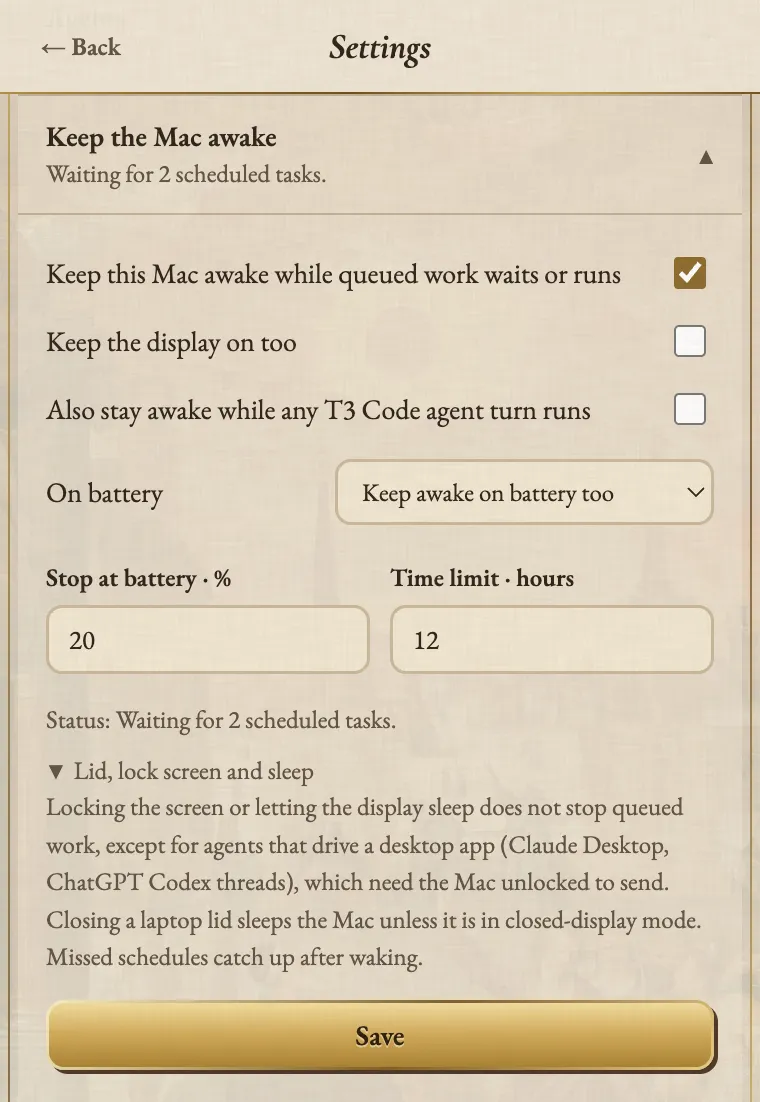
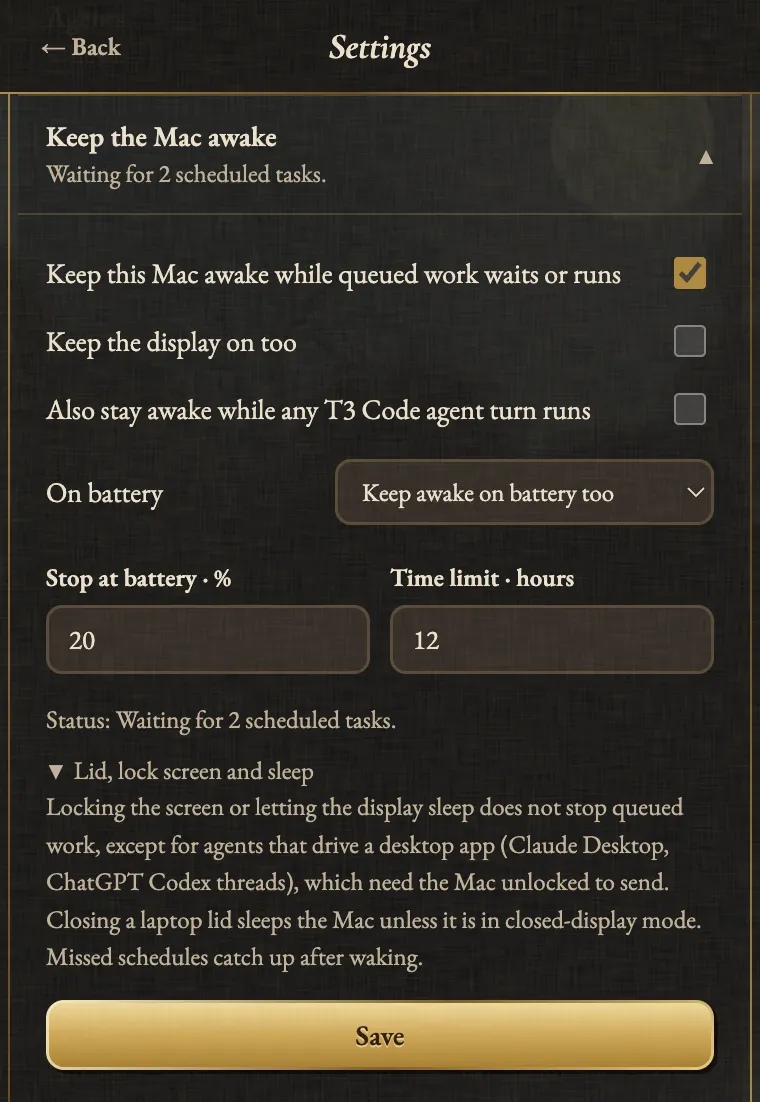
- Only while work waits or runs. One assertion covers pending schedules, continuations waiting for the limit or the next turn, sends in flight, and the turn a send started.
- Display can sleep unless you tick Keep the display on too. Claude Desktop and ChatGPT app work keeps it on.
- Lets go. When the work’s done, at the battery floor, at the time limit, on Let Mac sleep, and on quit. Even on a crash (tested).
- No admin rights. Never
sudo, never changes a system setting. - Tells you. The menu-bar icon and a notice show when the Mac’s kept awake, why, and until when.
Hook-based tools keep the Mac awake while an agent’s busy: nosleep-claude wraps caffeinate in a Claude Code plugin.
Agents Sleep Preventer survives a closed lid by flipping that same pmset disablesleep through a passwordless sudo rule.
The app also covers the quiet hours before a reset, when nothing’s working yet but a send is due.
Set it up
- Install the app.
- Turn keep-awake on with the laptop toggle in the header, or in Settings > Keep the Mac awake.
- On a laptop, set a battery floor (or power only) and a time limit.
- Schedule something.
The honest limits
- It can’t stop lid-close sleep. Nothing without root can. Missed schedules catch up after the Mac wakes.
- It can’t unlock your screen. Claude Desktop and ChatGPT app sends wait for the unlock (one-off messages for up to six hours).
- On battery, it stops at your floor. macOS still sleeps at a critically low battery.
Agent Auto-Continue is an independent project. It is not affiliated with, endorsed by, or supported by T3 Tools, Anthropic, OpenAI, or any other agent vendor. Product names are trademarks of their respective owners and are used only to describe compatibility.
Logo moon: Albrecht Altdorfer, The Battle of Alexander at Issus (detail of the crescent), 1529. Alte Pinakothek, Munich, inv. 688. Public domain scan, Google Art Project via Wikimedia Commons.